Bookings, job sheets and digital signatures for your business.
For businesses where the work runs on paper, phone calls and Excel. We start with one piece, and it goes into use quickly.
Does any of this sound familiar?
Appointments go through the phone
Someone has to pick up, check for a free slot and write it down. Evening calls get missed, and the same slot gets booked twice.
Agreements get printed and scanned
Print, sign, photograph, email, file. Then nobody can find which one is current or when it was signed.
The work lives in an Excel file only one person understands
It works until that person is away, or until someone deletes a row and nobody notices.
Requests get lost across four channels
Viber, email, phone, Messenger. Nobody knows which one was answered and which was forgotten ten days ago.
Made for people who work outside the office
- Big buttons and few steps, for one-handed use.
- The customer signs on the screen and gets a copy by email.
- The office sees every job sheet the moment it’s closed.
- Every change is logged with a time and a name, so “who and when” always has an answer.
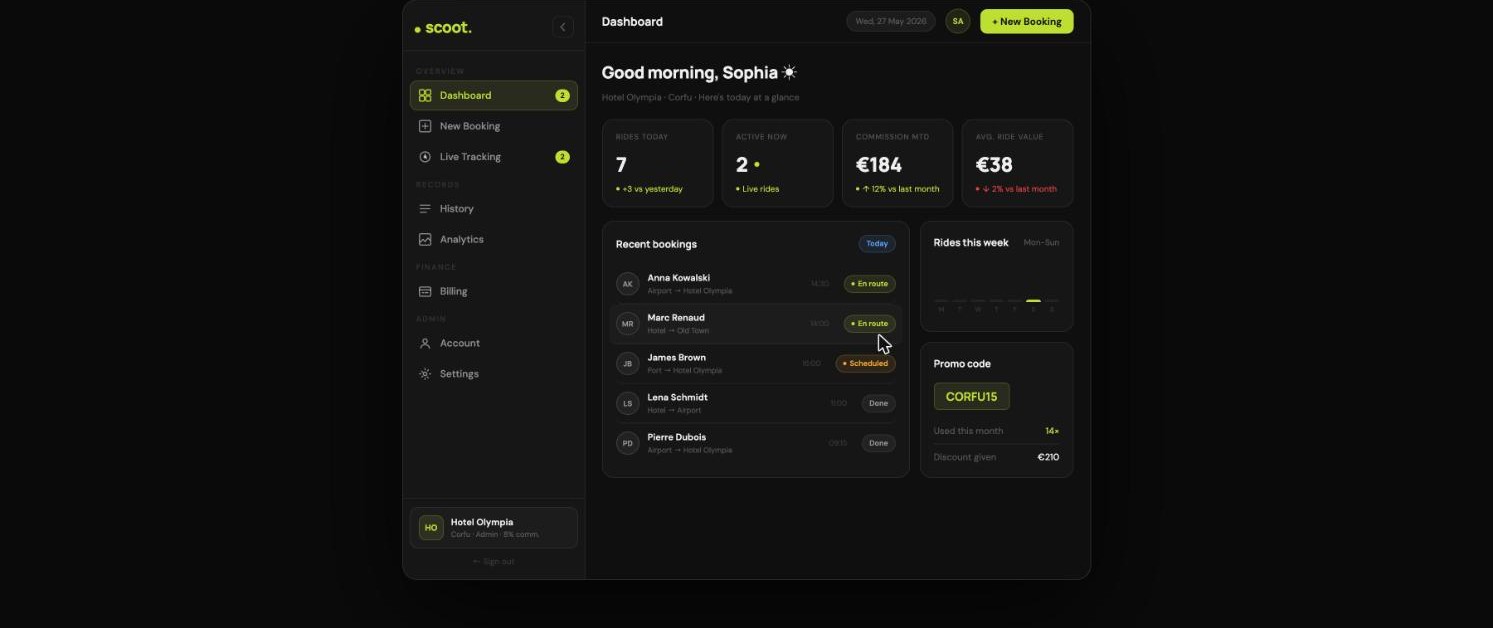
What it can include
Pieces you combine to fit your work. I’ve already built the first four for Scoot, where they run every day.
Built for Scoot
Bookings and appointments
Available times, cancellations and confirmations, with or without online payment.
Built for Scoot
Digital signatures
Agreements signed on a computer or phone, with a signing time and a record.
Built for Scoot
Online payments
Card, deposit or security deposit, through a provider set up in your name. The money never passes through me.
Built for Scoot
Identity checks
ID card or driving licence, where your work or the law requires it, before the booking goes ahead.
Roles and permissions
The technician, the front desk and you each see what you need.
Activity history
Every change with a time and a user. When something goes wrong, you know what happened.
Notifications
Emails to your team or your customer at the right moment, without anyone having to remember.
Reports
The numbers you actually look at, on one screen.
How it starts
- Step 1
Half an hour on your work
We talk about what you do every Monday morning and where it gets stuck. That shows what’s worth doing first.
- Step 2
One piece up and running
Whatever takes up most of your time gets built first, and you test it with real work.
- Step 3
The next one, if it’s worth it
You decide on the next piece after you’ve seen the first one working.
What it costs
The first piece usually costs from €2,500 + VAT. You get the exact price in writing after the first call, and it doesn’t change. Care for a system, with monitoring and priority fixes, starts from €150/month.
Questions I often hear
Will my staff actually use it?
The system is designed around the way they already work, and training happens at your premises. If something doesn’t work in practice, it changes.
What if you stop supporting it?
Your data and everything built specifically for you are yours. The system core comes with a perpetual licence, along with the code and documentation, so another developer can pick it up. Exactly what I hand over
Do I need an iPhone and Android app?
Usually not. A web app that installs on the phone covers most needs, at a lower cost. A store app is worth it when you need push notifications or a presence in the stores.